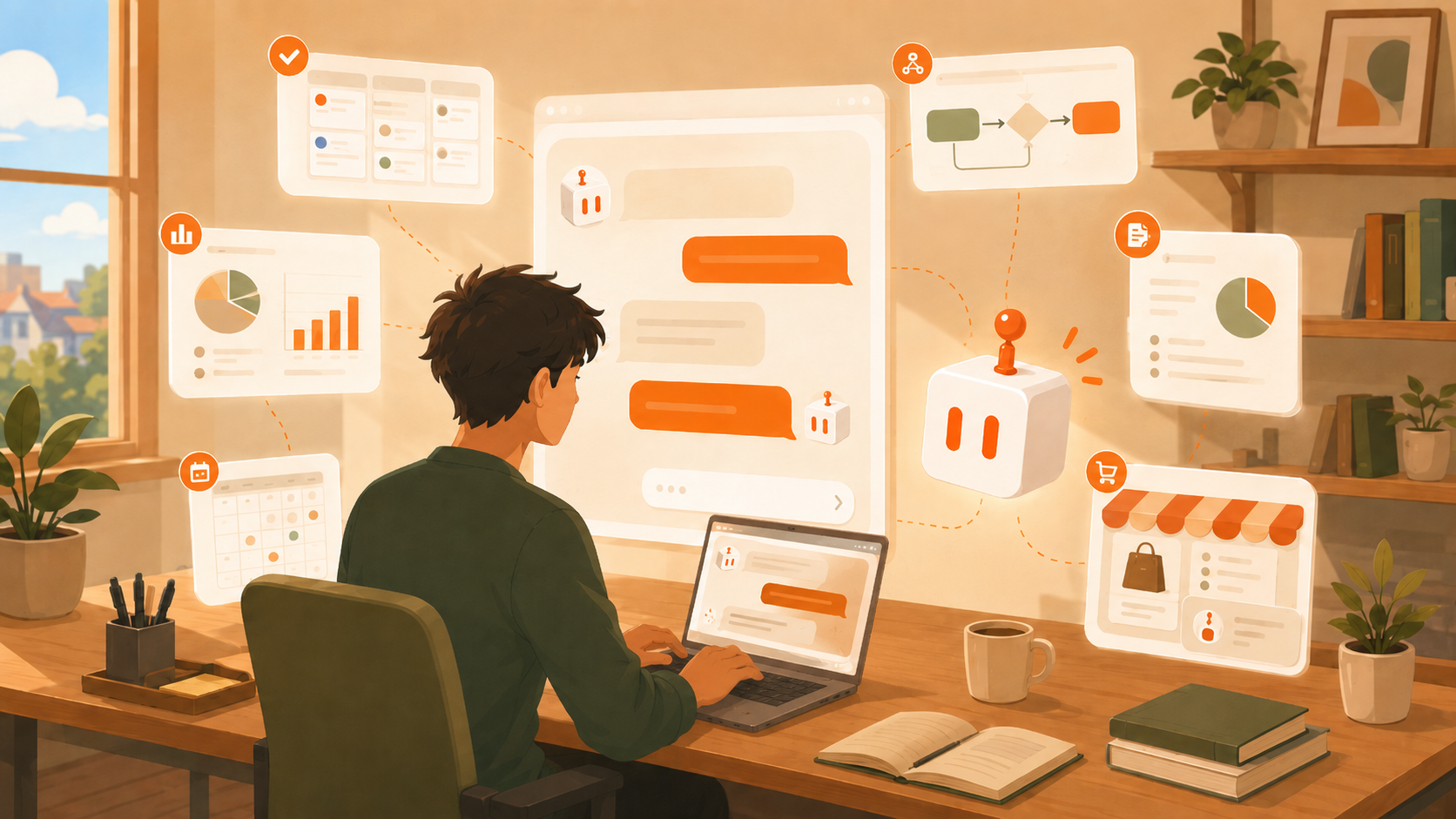
A Living UI is an application that CraftBot builds, evolves and runs for you: a backend with its own database, a frontend, launched as running processes inside your CraftBot's workspace. Living UI can be a dashboard, your company internal tool, SaaS tool, or automation pipeline with user interface.
Why we built it
Chat is a bad interface for ongoing work. If CraftBot manages your project pipeline, you do not want to scroll a chat log to find out what changed. You want a board. If it tracks your invoices, you want a table with totals, not a paragraph. At the same time, a normal app is a bad interface for an agent. Agents work best against APIs and data, not screenshots and pixel clicks.
Living UI solves both at once. The human gets a visual app. The agent gets a programmatic one. They are the same app, so neither side is looking at a stale copy.
This is a new way for humans and agents to collaborate. Until now, working with an agent meant messaging it and reading its replies. Living UI gives both of you a shared workspace instead. You work in it the way humans are most comfortable: looking at charts, dragging stuff around, clicking buttons. The agent works in it the way agents are most effective: through data and APIs. You watch its changes appear on your screen as it makes them, and it sees what you see and what you type. Same UI, same tool, each side using the interface that suits it best, and agent save more tokens this way.
This adds a new layer of automation, because the agent now has a dedicated workspace of its own. Before, an agent could only run tasks and report back via text and artifacts. Now it can build and continue to evolve an user interface, keep its work inside that user interface. Your automation becomes an app you can open, watch run, and step into whenever you want.
What you are paying without it
Most of the tools you subscribe to are a database with a form on top (if you are lucky it comes with its own AI). You rent them monthly, forever, and the price scales with your growth, not with the vendor's effort.
Take a newsletter. At 10,000 subscribers, the published prices are $99 a month on beehiiv Scale ($85 on annual billing), $135 a month on Mailchimp Standard, and $139 a month on Kit Creator. The entry tiers look cheap (beehiiv starts at $43 to $49 a month, which covers your first 1,000 subscribers), but the price climbs with your list size, not with what you use. Call it $1,000 to $1,600 a year once your list is real. What are you actually buying? A subscriber table, a compose screen, a send button, and open tracking. The tool does not even belong to you and you are paying only for 50% of the features they provide.
Now let's look at this same pattern repeats across a small team's stack:
| Tool you rent | Typical published price | The same job as a Living UI |
|---|---|---|
| Newsletter platform (beehiiv, Mailchimp, Kit) | $85 to $139/mo at 10k subscribers | Subscriber table + composer, sending through a commodity email API (~$1 per 10k emails) |
| Project board (Trello, Asana, Monday) | $10 to $14 per person, per month | A board shaped to your exact workflow, no per-seat pricing |
| CRM (Pipedrive, HubSpot) | $15 to $100 per seat, per month | A pipeline with exactly your fields and stages |
| Support inbox (Zendesk, Intercom) | $19 to $55+ per agent, per month | A ticket queue your agent triages around the clock |
Run the math for a five-person team using all four: that is roughly $6,000 to $7,000 a year, every year, for tools where you use maybe a 20% of the features. A Living UI costs the tokens it takes to build, and then it is yours, like, forever. With Living UI, users take back their ownership from SaaS vendors.
Ask your vendor, or ask your agent
When a SaaS tool does not fit your workflow, this is the feature request process today: you email support. Support opens a ticket. The ticket gets "passed to the product team." Maybe there is a public roadmap where you can upvote it alongside four hundred other people. If you are not one of their biggest customers, nobody reads it. Months later, either nothing happens, or the feature ships in a shape built for their average customer, not for you. Then it lands in a pricing tier you are not on.
So you adapt. Every team using off-the-shelf SaaS slowly bends its own workflow to match the tool, because bending the tool is not an option. That is backwards.
With a Living UI, the feature request process is: say it in natural language. "Add a column for follow-up dates." "Split this board by client." "Send me a summary every Friday." CraftBot edits the app's code, re-runs the pipeline, and the change is live in minutes. You are the owner of Living UI, so every change is built for you.
A SaaS tool fits you maybe 50% on day one and 50% forever, because it has to serve everyone. A Living UI might start at 50%, but every time it pinches, you say so, and it gets reshaped. After a month it fits 100%, and no vendor can sell you that at any price, because a tool that fits you perfectly is by definition a market of one (which is very expensive).
That is the actual goal of Living UI: not to give agents dashboards, but to make the default answer to "we need a tool for this" be build it, not subscribe to it.
What a Living UI is made of
Every Living UI has the same structure:
- A backend: a FastAPI server with a SQLite database. All app data lives here. This is the single source of truth.
- A frontend: a React app that only displays what the backend holds. It keeps no state of its own.
- A manifest: a config file that declares how to install, test, build, start, and health-check the app.
The frontend and backend run as separate processes on their own local ports inside your CraftBot's workspace. Your data stays in the app's own SQLite file, in your workspace, nowhere else. If you want to reach an app from outside, you can expose it through a public tunnel URL, but by default it is local.
Three ways to get one
1. Describe it. Tell CraftBot "build me a kanban board for my freelance gigs." Before writing anything, it asks you two rounds of questions: first about the data and features, then about the design. Then it builds feature by feature: it writes backend tests first, then the models and routes, verifies them, then the frontend. When it thinks the app is done, a launch pipeline installs dependencies, runs the tests, builds the frontend, starts both processes, and health-checks them. If any step fails, CraftBot gets the exact error and fixes it.
2. Install from the marketplace. The Living UI marketplace is a public GitHub repository of ready-made apps. CraftBot downloads the app, fills in your project's name, ports, and theme, and launches it through the same pipeline. Anyone can contribute an app to the marketplace.
3. Import an app you already have. Point CraftBot at existing source code: Go, Node.js, Python, Rust, a static site, or a Dockerfile as a last resort. It detects the runtime, figures out the install and start commands and a health check, and registers the app without modifying your source. A small proxy sits in front of imported apps to capture logs and add a health endpoint, so even an app that was never written for CraftBot gets monitoring.
How the agent uses the app
CraftBot controls a Living UI over plain HTTP. Every Living UI backend exposes a standard set of endpoints, the contract we call AG-APP:
/api/stateto read and write the app's data/api/itemsfor standard create, read, update, and delete/api/actionto run named actions the app defines
When CraftBot changes data this way, the app in your dashboard reloads and you see the change happen. If HTTP is not enough, CraftBot has two more levels of access: it can read and write the SQLite database directly, and it can edit the app's source code and restart it. That last one is how a Living UI evolves: you ask for a change in chat, CraftBot reads the app's logs, edits the code, and re-runs the launch pipeline.
How the agent sees what you see
The frontend reports what is on screen to its own backend: a simplified copy of the page structure, the visible text, and the current values of form fields. It sends an update when the page loads, when data changes, and when you interact with the app.
CraftBot reads that report through two endpoints: /api/ui-snapshot for the structured version and /api/ui-screenshot for an actual image. So when you say "the second column looks wrong," CraftBot can look at the same screen you are looking at, plus the data behind it, and act on both.
An app can also call back into CraftBot: each Living UI gets a token at launch that lets its backend use CraftBot's connected integrations and its LLM through a bridge API. That is how a Living UI can, for example, summarize its own data without shipping that data anywhere else.
Keeping apps alive
Running apps crash. A watchdog checks every Living UI every 30 seconds and restarts anything that died. If an app crashes three times in a row, restarting stops being the answer, so the watchdog creates a task for CraftBot with the crash logs attached, and CraftBot debugs its own app.
Relaunching is cheap: if the source code has not changed, the pipeline skips the tests and build and just starts the processes.
Future roadmap we have for Living UI
Living UI is new, agent harness is also a new field. There are many improvements to be made for both. For Living UI, version control, better design, better stability, visualization of the Living UI building process, one-click export and many features are waiting for us to implement. We are working hard to make SaaS tools and AI agent harness more accessible and making subscription to SaaS tools less necessary.
Of course, if you want to witness the progress, feel free to join our Discord server.
Try it
Living UI ships with CraftBot, hosted and self-hosted alike. Start a hosted CraftBot free, or run the open-source agent yourself and ask it to build you an app. If you build something good, add it to the marketplace so other agents can install it.